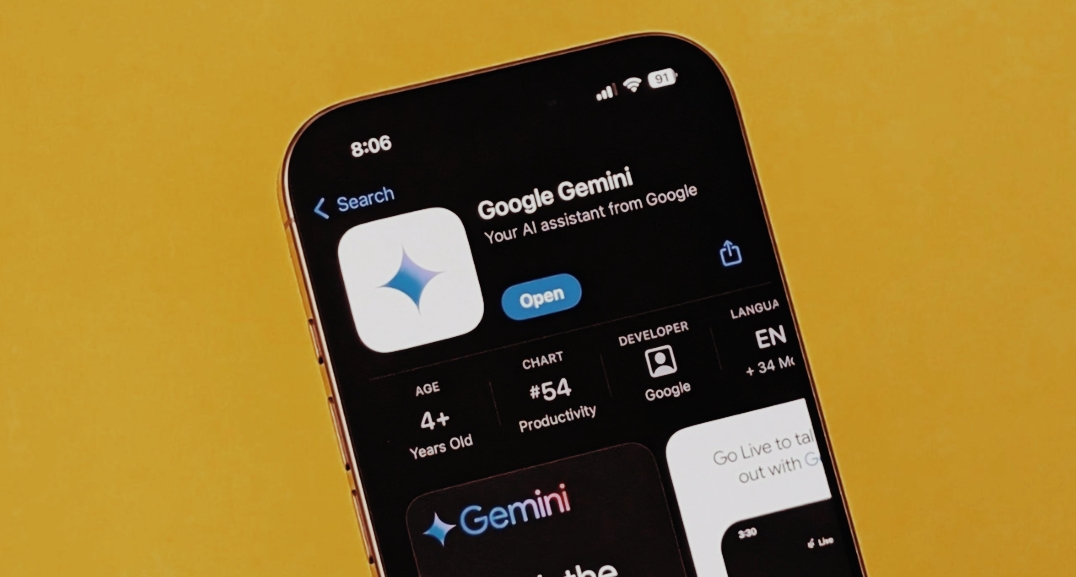
Making Gemini more efficient and useful can be as simple as setting it to repeat automatically, so you don’t have to keep asking every time.
Google introduced a variety of new features for Gemini. One standout feature is Scheduled Actions. This allows you to program Gemini to execute prompts at a specific time in the future or to repeat them on a regular basis. While it might seem like a small tweak, the Scheduled Actions feature really expands the ways you can engage with the AI chatbot. For example, you can tell Gemini to handle a task later, and it will remember to do it for you. Plus, you can even convert an old chat into a scheduled task.
How To Use Scheduled Actions In Gemini
The scheduling feature generally functions smoothly, but there are times when Gemini might get a bit mixed up and overlook a future task. A quick follow-up message typically resolves the problem.
Subscription required: This feature is exclusively for paid users. To access Scheduled Actions, you need either a Google AI Pro or Google AI Ultra subscription. Right now, these subscription options are only available in the US.
You can only have 10 actions: That means you can schedule a maximum of 10 tasks at once, whether they’re one-time or recurring.
Location can’t be changed: You can set up actions based on your location, such as ‘Find a cake shop nearby,’ but it will always use the location from when you first created the task. It won’t update if you relocate.
Once you’ve set up an action, just tap your profile in the Gemini app, head over to Settings, and select ‘Scheduled Actions’ to see it. You can pause or delete tasks from that section, but if you need to, you can also cancel them.
Receive a daily overview of your emails
Initially, it might feel a bit excessive to have AI summarize your emails. However, just making that request once can really save you time. For example, you could say to Gemini, ‘Please summarize my unread emails each morning’, and it will provide you with daily updates. You can also personalize it more by asking Gemini to emphasize emails from your boss or to ignore spam and newsletters.
It’s worth mentioning that Gemini can mess up just like any other AI tool. However, using Scheduled Actions this way allows for a quick glance at your emails, which saves you time.
Create weekly plans based on your calendar events
With Workspace linked up, you can tell Gemini to show you all your calendar events for the week. Since it can also tap into Google Maps, you can ask things like how far your doctor’s appointment is from your place. You can also request specific details or formats. For instance, if you have two appointments in different locations, Gemini can calculate the travel time and provide you with the total driving time.
Create scheduled inquiries for particular events
There are times when you need info that’s not yet available. For instance, if you’re curious about who took home the Oscar, you can ask Gemini now and set it up to provide you with the answer after the event concludes. This feature is especially handy for more intricate searches. You can also request specific details from Gemini, such as what critics are saying about a video game’s gameplay or storyline.
Agent Mode in the future
There are some awesome ways to utilize this feature, but it’s not available just yet. In one demo, Gemini was tasked with finding new apartments every week and sending a summary to the user.
That type of task requires more independence than Gemini can manage at the moment, but it highlights the potential usefulness of scheduled actions down the line.
Currently, Gemini is capable of performing basic web searches, checking your emails and calendar, and assisting with some in-depth planning.
- Rising Temperatures, Rising Tempers? The Surprising Link Between Heat And Aggression

- India’s Lost Dragonfly Returns After 110 Years

- Snapchat Introduces Safer Story Sharing For Under-16 Users

- Google Launches Gemini 3.5 Live Translate

- The New Dating Trend Everyone’s Talking About: Puffer-Fishing

- Tea, Coffee, Juice: The Worst Empty Stomach Mistakes

- Instagram Introduces Profile Grid Customization

- Skywatchers Alert: Jupiter And Venus Set For A Rare Close Encounter Tonight

- Chrome Just Downloaded a 4GB AI Model? Here’s How to Delete It

- Why Does Real Love Feel Different Than We Expect?

- The 30-Minute Parenting Secret Every Child Needs

- Remote Robotics: Control Robotic Arms From Your Smartphone

- Mumbai’s Pod Taxis: Will BKC Benefit?

- Beyond The Missing Period: Understanding MRKH Syndrome

- Why Calling Every Stomach Problem ‘Gas’ Can Be Risky?

- Poke: Apple’s First AI Agent Debuts

- AC Drying Out Your Skin? Try This Simple Fix

- Want More Fireflies? Transform Your Garden Today

- Spotify Launches Podcast Clips For Instant Highlight Saving

- The Hidden Reason Summer Causes More Headaches

- Early Iron Deficiency Symptoms You Shouldn’t Ignore

- Meta Introduces Premium ‘Plus’ Tier For Instagram, Facebook And WhatsApp

- WhatsApp Launches Channel Status For 24-Hour Admin Updates

- 5 Powerful Signs You’re With The Right Person

- Social Media: The New Smoking For Children?

- Dewy, Glossy, Sweaty: The Viral Makeup Trend Everyone’s Trying

- Luna Launches Smart AI Band For Real-Time Daily Planning

- Meta Launches New ‘Forum’ App

- Why Is Your C-Section Scar Vertical?

- Red vs Orange Heat Alerts: Which One Puts Your Body At Greater Risk?

- Does AC Sleep Weaken Your Immunity? – Myth or Fact?

- The Rise Of Nonnamaxxing

- How To Clean Mushrooms Without Turning Them Soggy?

- How Hot Nights Quietly Harm Your Sleep And Heart?

- Indian Content Creators Can Win a Free Nepal Trip — Here’s How To Apply

- Gemini Omni Flash Brings Multimodal AI Video Creation To Google

- Essential Oil Diffusers: Healthy Trend or Hidden Hazard?

- Gmail Users Alert: Your Free 15 GB Storage Could Disappear

- YouTube Introduces Likeness Detection For 18+ Users

- AI vs Human Language: Is Learning Still Worth It?

- OpenAI Unveils ChatGPT Finance Tools With Direct Bank Integration

- The Ageing Risk Of Sleeping Too Much Or Too Little

- Fitness or Future Pain? The Truth About Joint-Damaging Workouts

- Salt Water Trend: What You Need To Know First?

- X Launches History Tab For Likes, Bookmarks And Videos

- Stay Chill: Smart Gadgets For Summer

- Instagram Launches Instant For Disappearing Photos

- ChatGPT App Now Supports Codex Coding Tool

- Best Smart Devices For Senior Citizens

- Why Did Humans Use To Eat Soil, And Why Do Some Still Do?

- How Your Body Responds To Sleep Deprivation

- Glow Naturally: Simple Habits For Healthier Skin

- Google Chrome Too Messy? Easy Tricks For Smoother Browsing

- Faustino Oro Becomes Chess’s Second-Youngest Grandmaster

- The World’s First Railway: Where It Began?

- Google Upgrades Cars With Gemini AI

- The Hidden Warning On Your Skin: Early Signs Of Diabetic Rash

- Amazon Launches Vertical Feed For Prime Video

- Say Goodbye To Mosquitoes Naturally With These 6 Plants

- Puffy Face? Simple Ways To De-Puff Your Face

- Google Launches Fitbit Air: A New Era In Sleep And Recovery Tracking Begins


Leave a Reply