The summer break has arrived, and a lot of us are gearing up for trips to warm and sunny places, taking our gadgets with us.
Just a heads up, phones, tablets, and other gadgets can really struggle in extreme heat.
Countries in Southern Europe, such as Spain, Italy, Greece and all over the U.S., especially in the Southeast have been roasting in the sun.
Most electronic gadgets perform optimally within a certain temperature range.
According to Apple, iPhones and iPads are meant to function best in temperatures from 32 to 95 degrees Fahrenheit (0 to 35 degrees Celsius).
Apple cautions that a device may alter its performance in extreme temperatures.
Using an iOS or iPadOS device in excessively hot conditions can lead to a permanent reduction in battery life.
If you’re wirelessly charging, downloading large files, streaming high definition videos, or engaging in any other power intensive activities, your phone might heat up temporarily. This is normal and won’t impact the device’s performance or battery longevity.
If your phone gets too hot to hold comfortably, Suggests you stop using it.
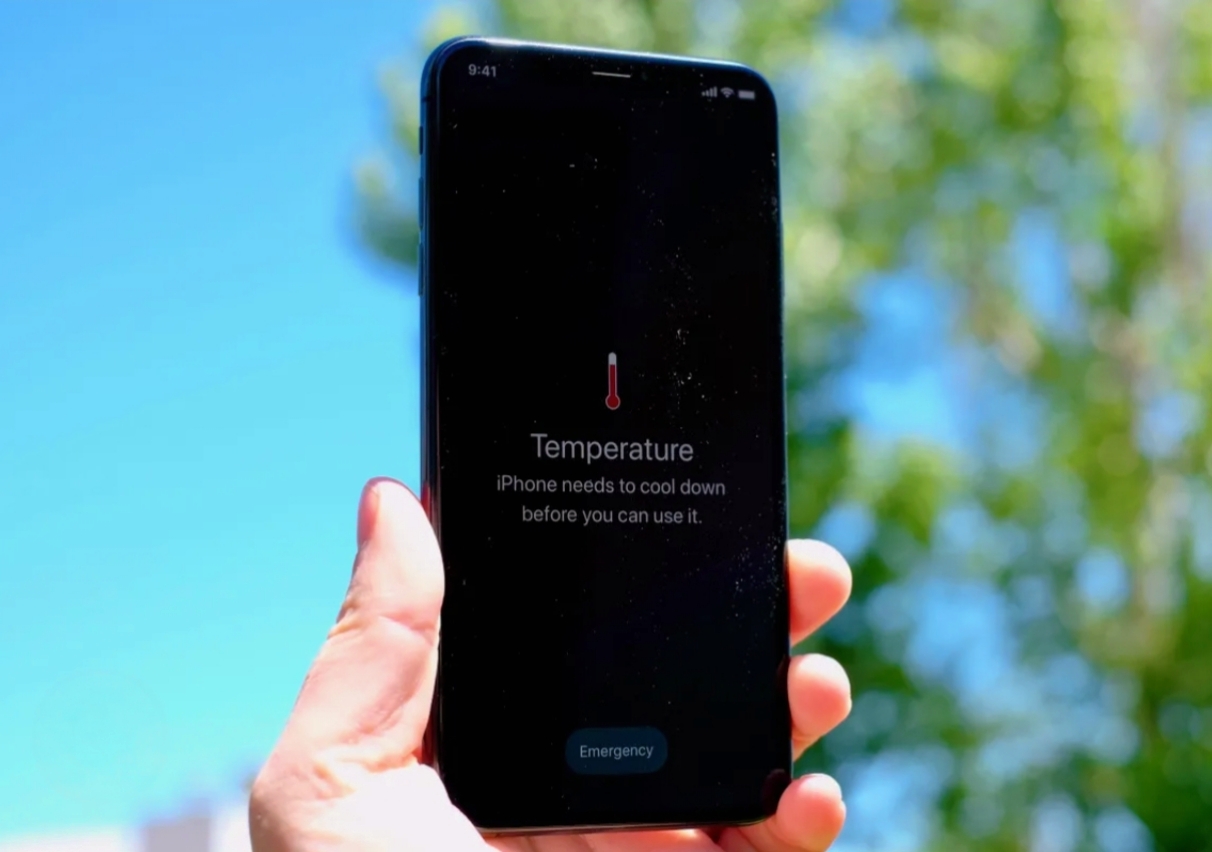
When an iPhone overheats, it will notify users with a warning that it needs to cool off before it can be used again.
Android phones will show a similar alert, informing users that the screen will dim, apps will close, and charging will be temporarily halted.
You can take steps to safeguard your device from excessive heat.
Avoid leaving it in a car on a hot day and steer clear of direct sunlight for extended periods.
Apple also cautions against using certain features when it’s extremely hot or exposed to direct sunlight for long durations, such as GPS navigation while driving, playing graphics-intensive games, or using the camera.
Google, the maker of Pixel Android phones, recommends that users refrain from using demanding features or apps while their device is charging. When it’s super hot, the smartest move is to completely shut down your device.
Even background processes can create heat. A full shutdown helps it cool down quicker. If your phone or tablet has a case, take it off since it can hold in the heat.
Make sure to keep it away from direct sunlight and place it in a cool spot, like an air conditioned room or near a fan. Just be cautious about putting it in really cool areas.
Avoid putting your device in the fridge or freezer, since condensation can lead to water damage.
- New Zealand Legend Kane Williamson Announces Retirement

- FIFA World Cup 2026: How Fans Can Watch Matches For Free

- YouTube Relaunches Private Chats With Age Verification

- The Future Of Air Travel: Why The 100ml Liquid Limit May Soon Disappear

- Rising Temperatures, Rising Tempers? The Surprising Link Between Heat And Aggression

- India’s Lost Dragonfly Returns After 110 Years

- Snapchat Introduces Safer Story Sharing For Under-16 Users

- Google Launches Gemini 3.5 Live Translate

- The New Dating Trend Everyone’s Talking About: Puffer-Fishing

- Tea, Coffee, Juice: The Worst Empty Stomach Mistakes

- Instagram Introduces Profile Grid Customization

- Skywatchers Alert: Jupiter And Venus Set For A Rare Close Encounter Tonight

- Chrome Just Downloaded a 4GB AI Model? Here’s How to Delete It

- Why Does Real Love Feel Different Than We Expect?

- The 30-Minute Parenting Secret Every Child Needs

- Remote Robotics: Control Robotic Arms From Your Smartphone

- Mumbai’s Pod Taxis: Will BKC Benefit?

- Beyond The Missing Period: Understanding MRKH Syndrome

- Why Calling Every Stomach Problem ‘Gas’ Can Be Risky?

- Poke: Apple’s First AI Agent Debuts

- AC Drying Out Your Skin? Try This Simple Fix

- Want More Fireflies? Transform Your Garden Today

- Spotify Launches Podcast Clips For Instant Highlight Saving

- The Hidden Reason Summer Causes More Headaches

- Early Iron Deficiency Symptoms You Shouldn’t Ignore

- Meta Introduces Premium ‘Plus’ Tier For Instagram, Facebook And WhatsApp

- WhatsApp Launches Channel Status For 24-Hour Admin Updates

- 5 Powerful Signs You’re With The Right Person

- Social Media: The New Smoking For Children?

- Dewy, Glossy, Sweaty: The Viral Makeup Trend Everyone’s Trying

- Luna Launches Smart AI Band For Real-Time Daily Planning

- Meta Launches New ‘Forum’ App

- Why Is Your C-Section Scar Vertical?

- Red vs Orange Heat Alerts: Which One Puts Your Body At Greater Risk?

- Does AC Sleep Weaken Your Immunity? – Myth or Fact?

- The Rise Of Nonnamaxxing

- How To Clean Mushrooms Without Turning Them Soggy?

- How Hot Nights Quietly Harm Your Sleep And Heart?

- Indian Content Creators Can Win a Free Nepal Trip — Here’s How To Apply

- Gemini Omni Flash Brings Multimodal AI Video Creation To Google

- Essential Oil Diffusers: Healthy Trend or Hidden Hazard?

- Gmail Users Alert: Your Free 15 GB Storage Could Disappear

- YouTube Introduces Likeness Detection For 18+ Users

- AI vs Human Language: Is Learning Still Worth It?

- OpenAI Unveils ChatGPT Finance Tools With Direct Bank Integration

- The Ageing Risk Of Sleeping Too Much Or Too Little

- Fitness or Future Pain? The Truth About Joint-Damaging Workouts

- Salt Water Trend: What You Need To Know First?

- X Launches History Tab For Likes, Bookmarks And Videos

- Stay Chill: Smart Gadgets For Summer

- Instagram Launches Instant For Disappearing Photos

- ChatGPT App Now Supports Codex Coding Tool

- Best Smart Devices For Senior Citizens

- Why Did Humans Use To Eat Soil, And Why Do Some Still Do?

- How Your Body Responds To Sleep Deprivation

- Glow Naturally: Simple Habits For Healthier Skin

- Google Chrome Too Messy? Easy Tricks For Smoother Browsing

- Faustino Oro Becomes Chess’s Second-Youngest Grandmaster

- The World’s First Railway: Where It Began?

- Google Upgrades Cars With Gemini AI

- The Hidden Warning On Your Skin: Early Signs Of Diabetic Rash

- Amazon Launches Vertical Feed For Prime Video

- Say Goodbye To Mosquitoes Naturally With These 6 Plants

- Puffy Face? Simple Ways To De-Puff Your Face

- Google Launches Fitbit Air: A New Era In Sleep And Recovery Tracking Begins


Leave a Reply